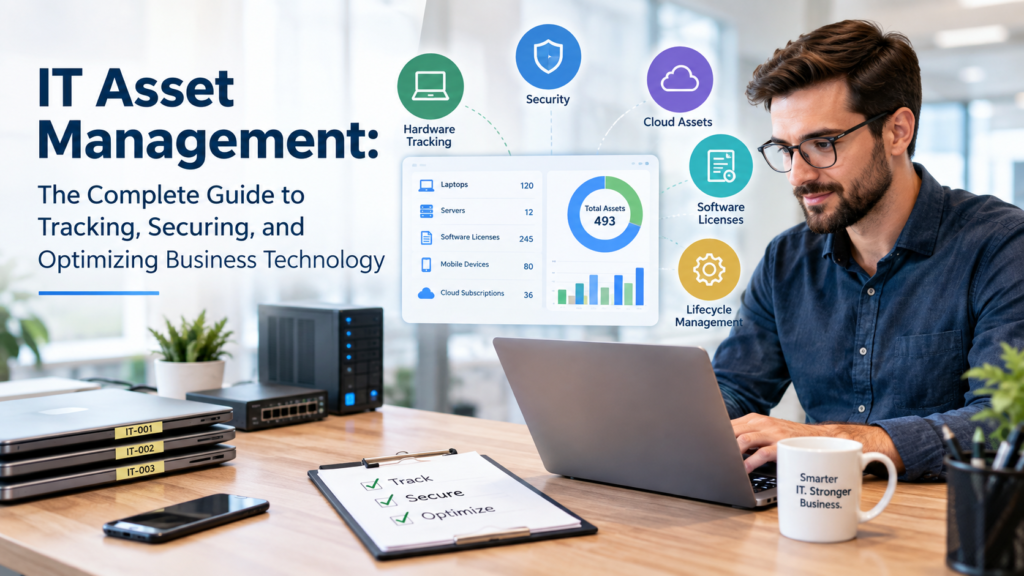
IT Asset Management: The Complete Guide to Tracking, Securing, and Optimizing Business Technology
Technology has become one of the biggest investments for modern businesses. From laptops and servers to cloud subscriptions and software licenses, organizations rely on hundreds—or even thousands—of IT assets every day. Yet many businesses don’t have a clear picture of what they own, who is using it, or when those assets need maintenance or replacement.
Without proper management, technology can quickly become expensive, insecure, and difficult to control. Lost devices, unused software licenses, outdated systems, and unmanaged cloud subscriptions can create unnecessary costs and security risks.
This is where IT Asset Management (ITAM) becomes essential. A structured IT Asset Management strategy helps businesses track every technology asset throughout its lifecycle, improve security, reduce waste, and make smarter technology decisions.
What Is IT Asset Management?
IT Asset Management (ITAM) is the process of tracking, managing, maintaining, and optimizing all technology assets within an organization throughout their entire lifecycle.
An IT asset includes any technology resource that supports business operations, such as:
- Laptops and desktop computers
- Servers
- Mobile devices
- Networking equipment
- Software licenses
- Cloud subscriptions
- Printers and peripherals
- Security tools
- Business applications
Instead of simply keeping an inventory, IT Asset Management helps organizations understand how each asset is used, maintained, secured, and eventually retired.
Why IT Asset Management Is More Important Than Ever
Businesses today operate across offices, remote work environments, and cloud platforms. Employees access company resources from multiple devices, making technology management more complex than ever.
Without a centralized asset management system, businesses often face:
- Lost or untracked devices
- Duplicate software purchases
- Expired licenses
- Security vulnerabilities
- Compliance issues
- Unexpected hardware failures
- Higher IT support costs
A well-organized IT Asset Management program creates visibility across the entire technology environment, allowing businesses to make informed decisions instead of reacting to problems after they occur.
The Five Stages of the IT Asset Lifecycle
Every IT asset follows a predictable lifecycle. Managing each stage properly helps maximize value while reducing operational risk.
- Procurement
The lifecycle begins when hardware or software is purchased. Businesses should document purchase dates, warranty details, vendors, and licensing information from day one.
- Deployment
Before an employee receives a device, it should be configured with approved software, security settings, user permissions, and endpoint protection.
- Maintenance
Regular maintenance keeps assets performing efficiently through software updates, security patches, hardware servicing, and performance monitoring.
- Monitoring
Continuous monitoring provides visibility into device health, software usage, warranty status, and security compliance.
- Retirement
When equipment reaches the end of its useful life, it should be securely wiped, documented, recycled, or disposed of according to company policies.
Hardware Asset Management
Hardware assets are often the easiest technology investments to identify—but they can still become difficult to manage as businesses grow.
A strong hardware management process helps organizations track:
- Device ownership
- Physical location
- Warranty expiration
- Repair history
- Replacement schedules
- Device compliance
For companies supporting remote employees, this visibility becomes even more valuable because devices frequently move between home offices, client locations, and company facilities.
Software Asset Management
Software can become even more expensive than hardware if it isn’t managed properly.
Organizations often discover they are paying for:
- Unused subscriptions
- Duplicate licenses
- Expired software
- Unauthorized applications
- Multiple tools serving the same purpose
Regular software audits help businesses reduce unnecessary spending while ensuring employees use approved applications.
Cloud Asset Management
Cloud adoption has transformed the way businesses operate, but it has also introduced new management challenges.
Today’s organizations often manage multiple cloud platforms, including:
- Microsoft 365
- Azure
- AWS
- Google Workspace
- SaaS applications
- Cloud storage services
Without centralized oversight, cloud costs can increase rapidly through unused accounts, inactive subscriptions, and poorly managed resources.
Security Benefits of IT Asset Management
IT Asset Management plays a critical role in cybersecurity because businesses cannot protect assets they cannot see.
Faster Patch Management
When every device is properly tracked, security updates can be deployed more quickly across the organization.
Reduced Attack Surface
Unused software and forgotten devices create unnecessary entry points for attackers. Removing or securing these assets significantly reduces risk.
Improved Incident Response
During a security incident, IT teams can quickly identify:
- Affected devices
- Impacted users
- Installed software
- Connected systems
This visibility speeds up investigation and recovery.
Compliance Advantages
Many industries require businesses to maintain accurate records of their technology assets.
Examples include:
- Healthcare
- Financial Services
- Legal Firms
- Government Contractors
- Manufacturing
Proper asset documentation helps organizations prepare for audits while demonstrating stronger governance and accountability.
Common IT Asset Management Challenges
As organizations grow, managing technology becomes increasingly complex.
Common challenges include:
- Remote employee devices
- Manual spreadsheet tracking
- Multiple software vendors
- Rapid cloud adoption
- Shadow IT
- Missing inventory records
Without automation and centralized visibility, these issues can consume significant IT resources.
Best Practices for Effective IT Asset Management
Businesses can strengthen their IT Asset Management strategy by following these proven practices.
Maintain a Centralized Inventory
Keep one accurate inventory for all hardware, software, and cloud assets.
Automate Asset Discovery
Use monitoring tools that automatically identify new devices and applications.
Track Ownership
Every asset should have a clearly assigned owner and documented location.
Schedule Regular Audits
Quarterly reviews help identify missing equipment, unused software, and outdated assets.
Plan Hardware Refresh Cycles
Replacing aging equipment before failures occur reduces unexpected downtime and improves employee productivity.
How Managed IT Services Improve IT Asset Management
Managing technology manually becomes increasingly difficult as businesses expand.
Managed IT Services help organizations simplify asset management through:
- Device inventory management
- Endpoint monitoring
- License tracking
- Patch management
- Hardware lifecycle planning
- Cloud asset oversight
- Security compliance monitoring
Instead of relying on spreadsheets, businesses gain continuous visibility into their technology environment while reducing administrative workload.
Signs Your Business Needs Better IT Asset Management
Your organization may benefit from a stronger asset management strategy if:
- Employees use untracked devices.
- Software costs keep increasing.
- Devices frequently go missing.
- Hardware failures happen unexpectedly.
- Cloud subscriptions are difficult to manage.
- Security updates are inconsistent.
- IT audits take too long.
These warning signs often indicate that technology has outgrown existing management processes.
The Business Value of IT Asset Management
A mature IT Asset Management program delivers benefits beyond inventory control.
Businesses often experience:
- Better visibility into technology investments
- Lower software and hardware costs
- Stronger cybersecurity
- Faster IT support
- Improved compliance
- Better budgeting
- More predictable hardware replacement planning
- Reduced operational risk
Ultimately, IT Asset Management transforms technology from a reactive expense into a strategic business asset.
Optimize Your IT Assets with OURS GLOBAL Managed IT Support Services
Managing hundreds of devices, software licenses, cloud platforms, and security updates doesn’t have to overwhelm your business. OURS GLOBAL helps organizations take control of their entire IT environment through proactive Managed IT Support Services designed to improve visibility, reduce downtime, and strengthen security.
What You Get with OURS GLOBAL
- 24/7 IT Help Desk Support
- Proactive Infrastructure Monitoring
- Endpoint Management & Device Tracking
- Microsoft 365 Administration
- Cloud Management (Azure, AWS & Google Workspace)
- Cybersecurity Protection & Patch Management
- Backup & Disaster Recovery
- Fixed Monthly Pricing with Scalable Support
Rather than waiting for technology problems to disrupt your business, OURS GLOBAL continuously monitors and manages your IT infrastructure to identify and resolve issues before they impact operations. Their flexible support model is designed for small businesses, growing companies, and enterprise organizations that need reliable, secure, and scalable IT management.
Ready to Modernize Your IT Operations?
If you’re looking to improve asset visibility, strengthen cybersecurity, and reduce IT management costs, explore OURS GLOBAL’s Managed IT Support Services and discover how proactive IT management can help your business stay secure, productive, and prepared for growth.