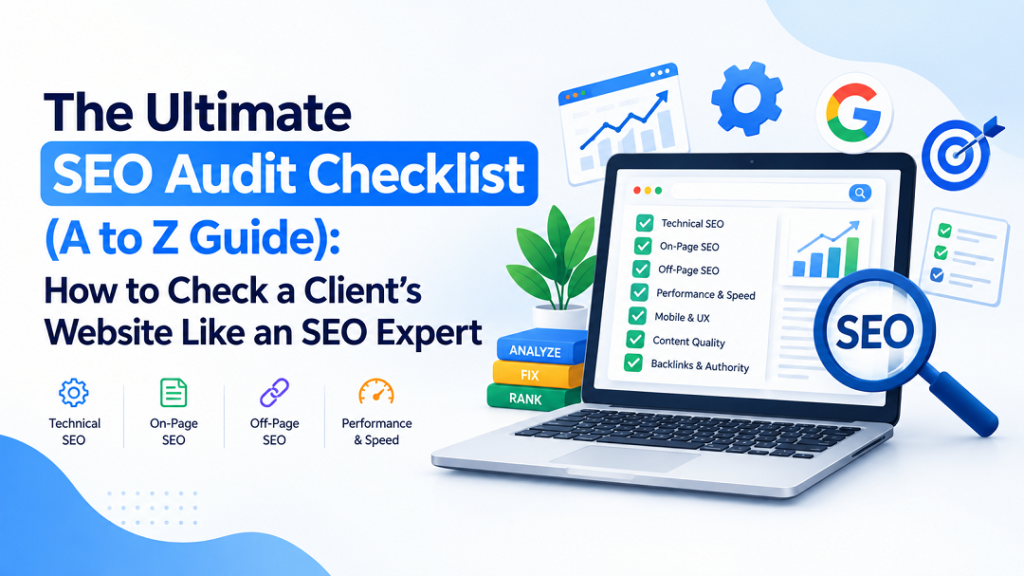
The Ultimate SEO Audit Checklist (A to Z Guide): How to Check a Client’s Website Like an SEO Expert
Introduction
A website can look beautiful and still fail to rank on Google. In many cases, hidden technical problems, poor page optimization, slow loading speed, or weak content prevent businesses from attracting organic traffic.
This is why every professional SEO campaign begins with a complete website audit.
An SEO audit is a step-by-step process that identifies everything affecting a website’s search performance. Instead of guessing why rankings have dropped, an audit provides clear answers and shows exactly what needs to be fixed.
In this guide, you’ll learn the same workflow used by professional SEO specialists to audit client websites from A to Z. Each section explains what to check, where to check it, and why it matters.
What is an SEO Audit?
An SEO audit is a complete health check of a website. It evaluates technical performance, content quality, user experience, and search engine visibility to identify issues that prevent higher rankings.
A proper audit helps you:
- Improve Google rankings
- Increase organic traffic
- Fix technical SEO problems
- Improve page speed
- Enhance user experience
- Increase conversions
Think of it as a blueprint for long-term SEO success.
SEO Audit Tools You Should Use
Before starting the audit, gather these essential tools.
|
Tool |
Purpose |
|---|---|
|
Google Search Console |
Indexing and performance |
|
Google Analytics 4 |
Traffic analysis |
|
Google PageSpeed Insights |
Speed testing |
|
Screaming Frog |
Website crawling |
|
Ahrefs |
Backlink analysis |
|
Semrush |
SEO research |
|
Google Rich Results Test |
Schema validation |
Most small businesses can complete a basic audit using the free versions of these tools, while larger websites benefit from premium crawlers and backlink tools.
Step 1: Check if Google Can Find Your Website
Nothing else matters if Google cannot discover your pages.
Check Indexing
Open Google and search:
site:yourdomain.com
Compare the number of indexed pages with the actual number of pages on your website.
Also Check
Google Search Console → Pages
Look for:
- Not Indexed pages
- Excluded pages
- Crawl errors
If important pages are missing, investigate them first.
Step 2: Check HTTPS Security
A secure website builds trust and protects visitors.
How to Check
Visit:
https://yourdomain.com
Make sure:
- The padlock icon appears.
- There are no security warnings.
- All pages use HTTPS.
If your website still loads with HTTP, set up a permanent redirect to HTTPS.
Step 3: Review Your XML Sitemap
Your sitemap helps search engines discover important pages.
Where to Check
Visit:
yourdomain.com/sitemap.xml
A healthy sitemap should:
- Open successfully
- Include only live pages
- Exclude deleted or duplicate pages
Then submit it inside Google Search Console.
Step 4: Review Robots.txt
Your robots.txt file controls crawler access.
Check Here
yourdomain.com/robots.txt
Look for accidental blocks like:
Disallow: /
This would block your entire website from search engines.
Step 5: Crawl the Entire Website
Manual checking isn’t enough.
Use Screaming Frog to crawl every page.
A crawl helps you find:
- Broken pages
- Missing titles
- Missing descriptions
- Duplicate content
- Redirect problems
- Internal link issues
Professional SEO audits always start with a full crawl because it reveals problems that are impossible to spot page by page.
Step 6: Find Broken Pages
Broken pages hurt both users and rankings.
Check For
- 404 errors
- Soft 404 errors
- Server errors
- Broken images
Fix by:
- Restoring pages
- Redirecting old URLs
- Updating internal links
Step 7: Fix Redirect Problems
Redirects should be clean.
Avoid:
- Redirect chains
- Redirect loops
- Temporary redirects when permanent ones are needed
Every old page should point directly to its final destination.
Step 8: Check Canonical Tags
Canonical tags tell Google which version of a page is the original.
How to Check
Open page source.
Search:
rel="canonical"
Every important page should have a self-referencing canonical unless another version is intentionally preferred.
Step 9: Test Core Web Vitals
Google measures real user experience using Core Web Vitals.
|
Metric |
Recommended |
|---|---|
|
LCP |
Under 2.5 seconds |
|
INP |
Under 200 ms |
|
CLS |
Under 0.1 |
Check using PageSpeed Insights and Search Console. Google’s guidance recommends checking real-user data in Search Console alongside PageSpeed Insights before prioritizing fixes.
Improve Speed By
- Compressing images
- Using WebP
- Enabling caching
- Minifying CSS
- Deferring JavaScript
- Using a CDN
Step 10: Mobile SEO Check
Most searches happen on mobile devices.
Your website should:
- Be fully responsive
- Have readable text
- Avoid horizontal scrolling
- Use touch-friendly buttons
- Load quickly
Always test on a real phone instead of relying only on browser previews.
Step 11: Review URL Structure
Good URLs help both users and search engines.
Good Example
example.com/seo-audit-checklist
Poor Example
example.com/page?id=5678
Best practices:
- Keep URLs short.
- Use hyphens.
- Include the main keyword.
- Avoid unnecessary numbers.
Step 12: Optimize Title Tags
The title tag is one of the strongest on-page SEO signals.
Best Practice
- 50–60 characters
- Primary keyword near the beginning
- Unique for every page
Example:
Complete SEO Audit Checklist – A to Z Website Guide
Step 13: Write Better Meta Descriptions
A good meta description improves click-through rate.
Keep it around:
150–160 characters.
Include:
- Primary keyword
- Clear benefit
- Call to action
Example:
Learn how to perform a complete website SEO audit with this practical A to Z checklist used by SEO professionals.
Step 14: Check Heading Structure
Headings organize your content.
Every page should have:
- One H1
- Logical H2 sections
- Supporting H3 headings
Avoid skipping heading levels.
Step 15: Optimize Keywords Naturally
Keyword placement still matters.
Include your primary keyword in:
- Title
- URL
- H1
- First paragraph
- Image alt text
- Naturally throughout content
Avoid repeating keywords unnaturally.
Step 16: Optimize Images
Images affect both speed and SEO.
Checklist:
- Descriptive filenames
- WebP format
- Proper compression
- Alt text
- Lazy loading
Example filename:
seo-audit-checklist.webp
Good alt text:
Complete SEO Audit Checklist
Step 17: Audit Content Quality
Content should solve real problems.
Review every important page.
Ask:
- Is it original?
- Is it useful?
- Is it updated?
- Is it better than competitors?
Remove or improve:
- Thin pages
- Duplicate pages
- Outdated articles
Content audits are most effective when they prioritize pages with traffic or conversion potential before expanding weaker pages.
Step 18: Improve Internal Linking
Internal links help Google understand your website.
Check for:
- Orphan pages
- Broken links
- Weak anchor text
Instead of writing:
Click here
Write:
Read our complete SEO audit guide.
Step 19: Review External Links
External links should add value.
Check that:
- Important links still work.
- Trusted websites are used.
- Broken outbound links are removed.
Step 20: Validate Schema Markup
Schema helps search engines understand your content.
Use Google’s Rich Results Test.
Check:
- Organization Schema
- FAQ Schema
- Product Schema
- Breadcrumb Schema
- Local Business Schema
Proper schema can improve eligibility for rich search results, even though it is not a direct ranking factor.
Step 21: Audit Backlinks
Backlinks remain an important ranking signal.
Review:
- Referring domains
- Anchor text
- Lost backlinks
- Toxic links
Focus on earning high-quality links instead of chasing large numbers.
Step 22: Analyze Competitors
Compare your website with top-ranking competitors.
Look at:
- Keywords
- Content depth
- Backlinks
- Internal linking
- Page speed
Competitor analysis often reveals opportunities your own site has missed.
Step 23: Check Local SEO
If the business serves local customers, review:
- Google Business Profile
- Business information
- Reviews
- Local citations
- Map visibility
Consistency across all business listings is essential.
Step 24: Review User Experience
SEO and user experience work together.
Check:
- Navigation
- Contact visibility
- Call-to-action buttons
- Form functionality
- Readability
Visitors should reach important pages within a few clicks.
Step 25: Review Google Search Console Reports
Search Console should be checked regularly.
Important reports include:
|
Report |
Purpose |
|---|---|
|
Performance |
Traffic |
|
Pages |
Indexing |
|
Core Web Vitals |
Speed |
|
Sitemaps |
Crawl |
|
Links |
Internal and external |
|
Security |
Manual actions |
Make this part of your monthly routine.
Step 26: Review Google Analytics
Analytics shows how users behave.
Check:
- Organic traffic
- Landing pages
- Engagement
- Conversions
- Traffic trends
SEO improvements should always be measured against business results.
Monthly SEO Maintenance Checklist
Use this quick checklist every month.
- Review Search Console
- Fix new 404 errors
- Update old content
- Improve slow pages
- Publish fresh content
- Review backlinks
- Monitor keyword rankings
- Check mobile usability
- Test Core Web Vitals
- Review conversions
Regular monitoring helps catch crawl, speed, and indexing issues before they become larger ranking problems.
Complete 50-Point SEO Audit Checklist
Technical SEO
- HTTPS enabled
- XML Sitemap
- Robots.txt
- Canonical tags
- Crawl errors fixed
- 404 pages removed
- Redirects optimized
- Mobile-friendly
- Core Web Vitals pass
- Page speed optimized
- Schema valid
- Clean URL structure
- Crawl depth under three clicks
- No duplicate URLs
- Security reviewed
On-Page SEO
- Unique titles
- Meta descriptions
- One H1
- Proper headings
- Keyword optimization
- Internal links
- External links
- Image optimization
- Alt text
- Fresh content
- Readability
- FAQs added
- CTA visible
- No duplicate content
- Search intent matched
Off-Page SEO
- Backlink review
- Anchor text review
- Lost backlinks checked
- Toxic links reviewed
- Competitor backlinks analyzed
- Brand mentions tracked
- Google Business Profile updated
- Local citations reviewed
- Customer reviews monitored
- Authority-building opportunities identified
Performance
- Mobile speed
- Desktop speed
- Image compression
- Caching
- CDN
- JavaScript optimization
- CSS optimization
- Server response
- UX review
- Analytics tracking
Common SEO Mistakes to Avoid
Many businesses unknowingly make SEO mistakes that limit their growth. Avoid these common issues:
- Publishing duplicate content
- Ignoring mobile optimization
- Using missing or duplicate title tags
- Creating slow-loading pages
- Forgetting image alt text
- Leaving broken links unfixed
- Blocking important pages in robots.txt
- Ignoring Google Search Console warnings
- Building low-quality backlinks
- Never updating old content
Fixing these issues often produces faster results than constantly publishing new pages.
Why Choose OURS Global for Professional SEO Services
Running an SEO audit is only the beginning. The real challenge is fixing technical issues, improving content, building authority, and maintaining long-term growth.
At OURS Global, we help businesses turn underperforming websites into powerful lead-generation assets through professional SEO strategies tailored to their industry and goals.
Our SEO Services Include
- Complete Website SEO Audits
- Technical SEO Optimization
- On-Page SEO Improvements
- Keyword Research
- Content Optimization
- Link Building
- Local SEO
- E-commerce SEO
- Monthly SEO Reporting
- Continuous Performance Monitoring
Whether you’re a startup, growing business, or enterprise, our experienced SEO specialists create customized strategies designed to increase visibility, drive organic traffic, and generate measurable business results.
Explore our professional SEO services: OURS Global
https://www.oursglobal.com/outsource-search-engine-optimization-services
Final Thoughts
A successful SEO audit follows a simple principle: fix the biggest obstacles first. Make sure search engines can crawl and index your pages, improve speed and Core Web Vitals, strengthen your content, optimize internal linking, validate schema, and build authority through quality backlinks. When these fundamentals work together, your website has a much stronger foundation for sustainable organic growth and better conversions over time.