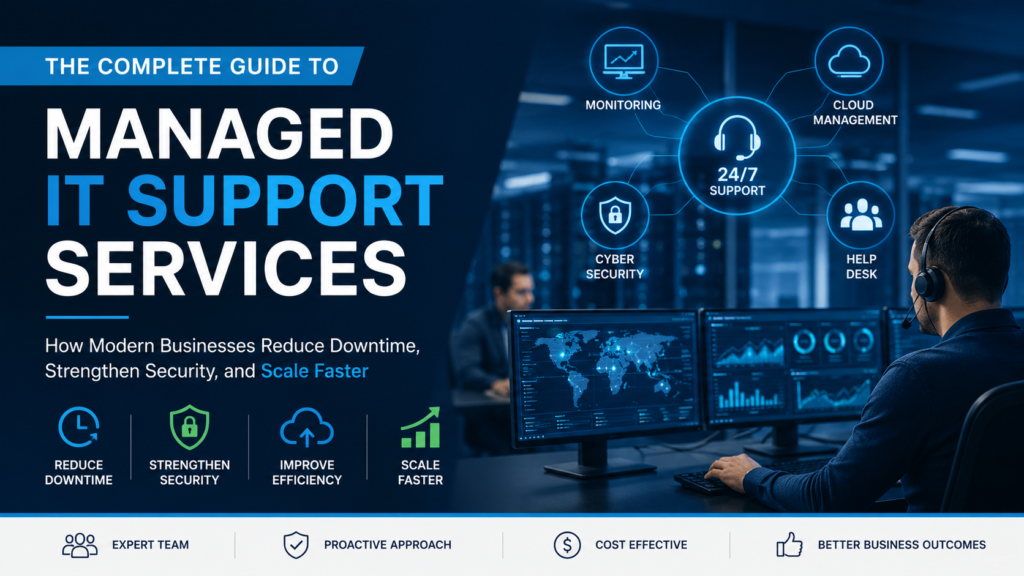
The Complete Guide to Managed IT Support Services: How Modern Businesses Reduce Downtime, Strengthen Security, and Scale Faster
Introduction
Technology has become the backbone of nearly every modern business. From cloud applications and remote work to cybersecurity and digital collaboration, organizations rely on IT systems every minute of the day. When these systems fail, productivity slows, customers experience delays, and businesses lose revenue.
Many companies still rely on a reactive approach to IT support—calling an engineer only after something breaks. While this method may seem cost-effective initially, it often results in unexpected downtime, expensive emergency repairs, and growing security risks.
Managed IT support services offer a different approach. Instead of waiting for problems to occur, businesses receive continuous monitoring, proactive maintenance, security management, and expert technical support that keeps systems running smoothly.
This comprehensive guide explains what managed IT support is, how it works, why businesses outsource it, the technologies involved, performance benchmarks that matter, and how organizations can choose the right provider for long-term success.
What Are Managed IT Support Services?
Managed IT support services involve outsourcing some or all IT operations to a specialized provider responsible for maintaining, monitoring, securing, and optimizing an organization’s technology environment.

Unlike traditional break-fix support, managed IT focuses on preventing issues before they disrupt business operations.
A managed IT provider typically handles:
- Help desk support
- Remote troubleshooting
- Network monitoring
- Endpoint management
- Microsoft 365 administration
- Cloud infrastructure
- Cybersecurity
- Backup management
- Patch management
- Disaster recovery planning
The goal is simple: minimize downtime while maximizing business productivity.
Why Businesses Are Moving Away from Break-Fix IT
The traditional IT support model only responds after problems appear.
For example:
- Server crashes
- Employee cannot access email
- Network goes offline
- Printer stops working
- Malware infects a computer
Every minute spent diagnosing these problems represents lost productivity.
Modern businesses increasingly prefer proactive support because prevention costs significantly less than recovery.
Break-Fix vs Managed IT
|
Break-Fix IT |
Managed IT |
|---|---|
|
Reactive |
Proactive |
|
Unpredictable costs |
Fixed monthly cost |
|
Emergency repairs |
Continuous monitoring |
|
Limited security |
Ongoing protection |
|
Downtime after failures |
Early issue prevention |
|
No strategic planning |
Long-term IT roadmap |
Organizations adopting managed support often experience more consistent system performance because issues are identified before becoming business-critical.
How Managed IT Support Works

Managed IT operates through continuous oversight rather than occasional repairs.
The process usually includes several interconnected layers.
24/7 Infrastructure Monitoring
Monitoring software constantly checks:
- Server health
- CPU utilization
- Disk space
- Network latency
- Hardware failures
- Application availability
Instead of discovering problems through employee complaints, technicians receive alerts immediately.
Automated Maintenance
Routine maintenance becomes automated.
This includes:
- Security updates
- Operating system patches
- Software updates
- Antivirus definition updates
- Backup verification
Automation reduces human error while improving consistency.
Help Desk Support
Employees can contact support through:
- Phone
- Live chat
- Ticket portals
- Remote assistance
The help desk becomes the first point of contact for technical issues.
Escalation Management
Complex issues move through specialized technical teams.
For example:
- Level 1 resolves password resets.
- Level 2 handles software issues.
- Level 3 investigates infrastructure problems.
Clear escalation paths reduce unnecessary delays.
Core Components of Managed IT Support
Help Desk Services
The help desk solves everyday technology problems affecting employees.
Common requests include:
- Password resets
- Email troubleshooting
- Software installation
- Printer issues
- VPN access
- Device configuration
Fast responses improve employee productivity more than most businesses realize.
Endpoint Management

Every business device requires ongoing maintenance.
Endpoints include:
- Laptops
- Desktops
- Mobile phones
- Tablets
- Workstations
Proper endpoint management includes:
- Antivirus
- Encryption
- Patching
- Device inventory
- Remote support
With hybrid work becoming common, endpoint management has become one of the most important IT functions.
Network Monitoring
Business networks connect employees, applications, cloud services, and customers.
Monitoring includes:
- Router performance
- Firewall health
- Wi-Fi stability
- Bandwidth usage
- Switch performance
Small network problems often become major outages if ignored.
Cloud Support
Most businesses now rely heavily on cloud platforms.
Managed providers typically support:
- Microsoft 365
- Azure
- AWS
- Google Workspace
- Cloud storage
- Identity management
Cloud environments require ongoing optimization rather than one-time setup.
Cybersecurity: The Most Important Part of Managed IT
Cybersecurity has evolved from optional protection into a business necessity.
Modern attacks include:
- Ransomware
- Phishing
- Credential theft
- Malware
- Business email compromise
- Insider threats

Managed IT providers typically build multiple security layers.
Multi-Layer Security
A secure environment combines several protections.
Email Security
Blocks:
- Spam
- Malicious attachments
- Phishing attempts
- Suspicious links
Endpoint Protection
Advanced endpoint protection detects unusual behavior instead of relying only on traditional antivirus signatures.
Identity Security
Identity management includes:
- Multi-factor authentication
- Conditional access
- Single Sign-On
- Password policies
Compromised identities remain one of the largest security risks for businesses.
Vulnerability Management
Regular vulnerability scanning identifies weaknesses before attackers exploit them.
Why Backup Alone Is Not Enough
Many businesses assume backups automatically guarantee recovery.
They do not.
Successful backup strategies include:
- Multiple backup copies
- Off-site storage
- Cloud replication
- Backup verification
- Recovery testing
Without regular testing, organizations may discover corrupted backups during an actual emergency.
Disaster Recovery Planning
Disaster recovery focuses on restoring business operations after major disruptions.
Possible scenarios include:
- Cyberattacks
- Hardware failures
- Power outages
- Flooding
- Human error
- Cloud outages

A strong recovery plan defines:
- Recovery priorities
- Communication procedures
- Backup restoration
- Alternative work environments
- System recovery timelines
Preparation determines recovery speed.
IT Support for Remote and Hybrid Workforces
Remote work has permanently changed IT support.
Employees now work from:
- Home offices
- Co-working spaces
- Client locations
- Different countries
Supporting distributed teams requires secure remote access.
Essential Remote Support Technologies
Organizations increasingly rely on:
- VPNs
- Cloud identity
- Mobile device management
- Remote desktop tools
- Endpoint monitoring
Support teams must resolve problems without physically touching devices.
The Role of AI in Modern IT Support
Artificial intelligence is transforming IT support—not by replacing technicians, but by helping them work faster.

AI now assists with:
- Ticket categorization
- Knowledge recommendations
- Automated troubleshooting
- Predictive maintenance
- Chat-based support
Organizations using AI-assisted workflows are increasingly focusing on faster issue resolution while allowing engineers to concentrate on complex technical problems.
Human expertise remains essential for critical infrastructure incidents.
Performance Metrics Every Business Should Track
Successful IT support relies on measurable performance.
Important KPIs include:
|
KPI |
Purpose |
|---|---|
|
First Response Time |
Initial acknowledgement speed |
|
Resolution Time |
Recovery speed |
|
First Contact Resolution |
Efficiency |
|
SLA Compliance |
Service consistency |
|
Customer Satisfaction |
User experience |
|
Ticket Backlog |
Team capacity |
Performance should be reviewed monthly rather than annually.
Why Employee Experience Matters
Technical performance alone does not define good IT support.
Large-scale employee experience research analyzing millions of support interactions found that communication quality and support responsiveness strongly influence employee satisfaction, while repeated ticket reassignments significantly increase productivity loss.
Good support feels predictable.
Employees value:
- Clear updates
- Fast responses
- Professional communication
- Confidence in technicians
Common IT Problems Businesses Face
Certain technical issues consistently disrupt business operations.
Password Issues
Account lockouts remain among the most frequent help desk requests.
Modern solutions include:
- Self-service password resets
- Multi-factor authentication
- Identity synchronization
Email Problems
Email disruptions affect communication immediately.
Common causes include:
- Authentication failures
- Mailbox limits
- Spam filtering
- DNS problems
Network Slowdowns
Network problems often appear gradually.
Warning signs include:
- Slow file transfers
- Video meeting interruptions
- Cloud application delays
Continuous monitoring helps identify root causes earlier.
Managed IT Support Across Different Industries
Every industry has unique technical requirements.
Healthcare
Priorities include:
- Patient data protection
- Compliance
- Secure remote access
Financial Services
Critical requirements include:
- Identity security
- Audit trails
- High availability
Manufacturing
Manufacturers depend on:
- Network stability
- Production continuity
- Equipment connectivity
Retail
Retail businesses require:
- POS reliability
- Inventory connectivity
- Payment security
Industry-specific expertise often improves support quality.
How to Choose the Right Managed IT Provider
Choosing a provider should involve more than comparing prices.
Technical Expertise
Evaluate certifications involving:
- Microsoft
- Cisco
- AWS
- Cybersecurity
Monitoring Capabilities
Ask whether monitoring operates:
- 24/7
- Automated
- Proactively
Security Services
Strong providers typically include:
- Endpoint protection
- Email security
- MFA support
- Backup management
Reporting
Monthly reports should explain:
- Ticket trends
- Security events
- System health
- Improvement opportunities
Transparency builds long-term trust.
Questions to Ask Before Outsourcing IT Support
Before selecting a provider, ask:
- What are your response times?
- How do you handle emergencies?
- Do you provide 24/7 support?
- What security services are included?
- How do you test backups?
- Who owns documentation?
- How is performance reported?
These questions reveal operational maturity.
Future Trends in Managed IT Support
Managed IT continues evolving alongside business technology.
Major trends include:
AI-Assisted Service Desks
Automation handles repetitive tasks while technicians focus on higher-value work.
Predictive Infrastructure Monitoring
Monitoring increasingly identifies performance degradation before users notice problems.
Zero Trust Security
Identity verification continues becoming stricter across cloud environments.
Experience-Based IT Management
Organizations increasingly combine operational metrics with employee experience data when evaluating support quality.
Frequently Asked Questions
What is managed IT support?
Managed IT support is an outsourced service that continuously monitors, maintains, secures, and supports business technology systems.
Is managed IT better than break-fix support?
For most growing businesses, proactive managed support reduces downtime, improves security, and provides more predictable IT costs than reactive break-fix repairs.
Does managed IT include cybersecurity?
Most providers include cybersecurity services such as endpoint protection, email security, patch management, identity protection, and backup management.
Can managed IT support remote employees?
Yes. Modern providers support remote workers through secure remote access, cloud management, endpoint monitoring, and remote troubleshooting tools.
How often should IT systems be monitored?
Critical business systems should be monitored continuously so potential issues can be detected before they affect users.
Conclusion
Managed IT support is no longer simply about fixing computers—it is about protecting business continuity, strengthening cybersecurity, improving employee productivity, and creating a technology environment that can scale alongside organizational growth.
Businesses that adopt proactive IT management benefit from continuous monitoring, faster issue resolution, stronger security controls, and better operational visibility. As cloud computing, remote work, and cyber threats continue evolving, organizations increasingly need experienced IT partners capable of managing both day-to-day support and long-term technology strategy.
Whether a company has an internal IT team or is considering outsourcing, investing in proactive managed IT support creates a stronger foundation for sustainable growth, reduced downtime, and more resilient business operations.
Explore Professional Managed IT Support Services
If your business is looking for proactive IT management, 24/7 monitoring, cybersecurity protection, cloud support, and expert technical assistance, explore OURS Global’s Managed IT Support Services here:
https://www.oursglobal.com/outsource-managed-it-support-services