
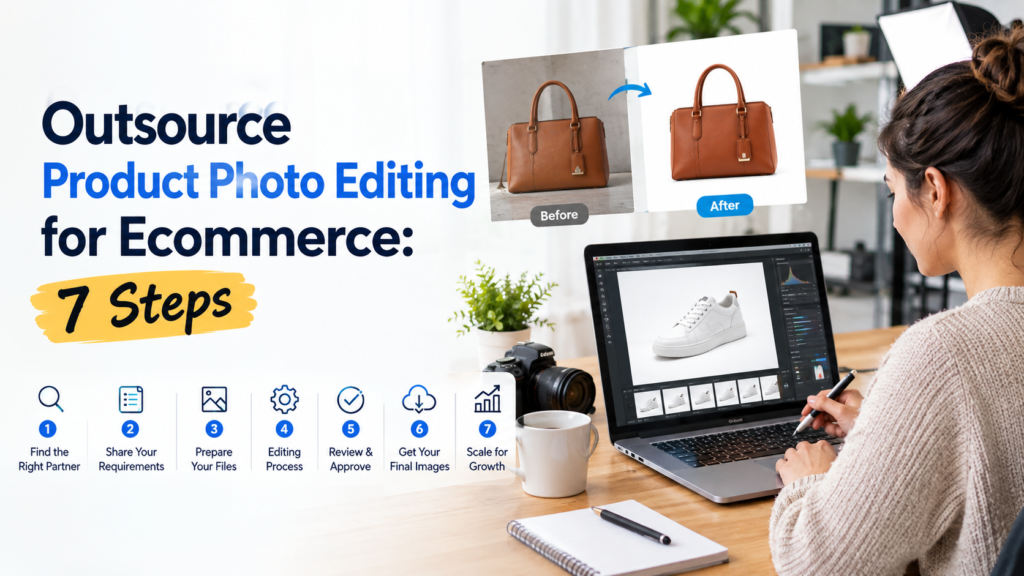
Outsource Product Photo Editing for Ecommerce: 7 Steps
Your new products are ready. The photographs are taken. But the listings are still waiting because someone needs to clean the backgrounds, correct the colours and make every image look like it belongs in the same store.
When that work keeps landing on your marketing team, photographer or business owner, a product launch can turn into a queue of unfinished images.
To outsource product photo editing for ecommerce successfully, define the finished look, test representative images, agree on the full scope and approve a repeatable quality checklist before sending a large batch.
The goal is straightforward: receive images your team can publish with minimal additional work.
Here is a practical seven-step process to help you choose a provider and keep control of your catalogue.
1. Count the images and deliverables before asking for a quote
“Please edit our product photos” leaves too much open to interpretation.
Start with the number of products, the photographs available for each product and the versions you need back. For example, 200 products with four photographs each means 800 source images. If each image needs two different exports, the provider also needs to account for those deliverables.
Tell the editing team:
- How many source images are ready now.
- Whether the work is a single project or a recurring requirement.
- Which product categories are included.
- Where the finished images will appear.
- When you need the first approved files and the complete batch.
Separate urgent launch images from work that can arrive later. This gives the provider a clearer basis for planning and helps you compare quotes for the same job.
2. Describe the edit each product actually needs
A ceramic mug, a transparent bottle and a knitted sweater should not automatically receive the same treatment.
For a mug, the brief might call for a clean background, intact handle opening and a subtle shadow. A bottle may need careful treatment of transparency and reflections. A sweater needs its fine edges and fabric texture preserved.
Name the problem instead of asking the editor to “make it premium.”
For example:
- Distracting background: Remove the surrounding scene while preserving the full product outline.
- Inconsistent framing: Match product scale, alignment and empty space across related images.
- Colour differences: Use an approved reference so images of the same variant stay consistent.
- Dust or lint: Remove temporary shooting imperfections without erasing genuine product details.
- Harsh shadows: Adjust the shadow to the agreed style while keeping the object visually grounded.
Also state what must remain untouched: logos, labels, stitching, material texture, proportions and included accessories.
The photograph should help customers understand the actual item they are buying.
3. Test a representative sample before committing the catalogue
A provider’s portfolio is useful, but a sample made from your own images is a more relevant test.
For an initial evaluation, choose around five images that represent the work ahead. Include an ordinary product, a difficult edge, a colour-sensitive item and at least one photograph with a problem you regularly encounter.
Avoid choosing only the easiest images. A simple box on a clean background will not tell you much about how the team handles glass or fine fabric.
Give every provider the same instructions and reference image. Then evaluate:
- Whether the result follows the brief.
- Whether product details remain accurate.
- Whether the sample images look consistent together.
- Whether feedback is understood and applied.
- Whether communication and delivery match the agreement.
Ask the provider to flag any image that needs a reshoot or has limitations. Knowing what cannot be corrected reliably is useful before a larger order begins.
4. Create a short editing brief that removes guesswork
A good brief does not need to be a long document. It needs to make the important decisions clear.
Use this starting template:
Project: Ecommerce product catalogue
Products: List the categories and any difficult materials.
Background: Specify white, transparent or another approved treatment.
Framing: Match the attached reference for product scale, position and margins.
Retouching: Remove dust and temporary shooting marks; preserve labels, texture and product construction.
Colour: Follow the supplied approved reference and flag uncertain matches.
Shadows: Describe the required treatment and attach an example.
Output: Specify file format, dimensions and each required version.
Filenames: Preserve the SKU, variant and image-view identifiers.
Delivery: State the date, time zone and priority order.
Approval: Identify the person who will review samples and revisions.
Attach one approved example wherever possible. Visual references make instructions such as “soft shadow” or “consistent crop” easier to interpret.
If you sell through several channels, identify their requirements separately. A website gallery, marketplace main image and advertising creative may need different outputs. Check the current requirements for each destination before approving the export brief.
5. Compare the complete quote, including revisions
A low starting price tells you very little until you know what it includes.
Ask whether the quoted scope covers background work, detailed retouching, colour correction, shadows, additional exports and the complexity of your actual images.
Clarify these questions before placing the order:
- Is pricing based on each source image, each finished file or the whole project?
- Which edits require an additional charge?
- How are corrections against the agreed brief handled?
- What happens if you change the brief after approval?
- Does the deadline cover the complete batch or an initial delivery?
- Are rush delivery and additional file versions priced separately?
Keep your own review time in the comparison. If your team needs to rename files, correct crops or sort mixed product variants, that work still exists even when the invoice looks attractive.
A useful way to compare providers is:
Project cost = editing fee + agreed extras + internal review and rework time.
This makes the decision about usable output rather than the lowest advertised rate.
6. Approve a quality checklist before the full batch
Review the sample at two levels: the individual image and the collection.
At image level, inspect edges, labels, texture, colour and unwanted editing marks. At collection level, place related products together and look for differences in scale, spacing, brightness and shadow style.
Use clear acceptance checks:
- Edges: No missing product parts, obvious halos or leftover background.
- Product accuracy: Labels, construction and accessories match the source.
- Colour: The result follows the agreed reference without obvious drift between views.
- Consistency: Related images use the approved framing and treatment.
- Files: Names, dimensions, formats and required versions match the brief.
Include an operational check too: can your team identify the right file and use it without unnecessary cleanup?
Record feedback against specific filenames. “SKU125-side: retain the small opening in the handle” is easier to act on than “some cutouts look wrong.”
Approve the corrected sample as the reference for the remaining work.
7. Build a repeatable handoff for ongoing orders
Once the sample is approved, turn that decision into a process the team can repeat.
Keep source files, approved examples, instructions, final deliveries and revision requests in clearly named folders. Preserve your own originals and decide how the provider should return revised files.
For recurring batches, agree on:
- Who sends instructions and who approves the work.
- How each new batch is identified.
- When images must arrive to meet the requested deadline.
- How urgent products are prioritised.
- How style changes are documented.
- How access, confidentiality and file retention are handled.
For teams in different countries, include the time zone in every deadline. “Friday afternoon” is ambiguous; a dated deadline with a named time zone gives both sides the same target.
Review early batches closely. Keep checking difficult images and changes to the brief as the volume grows.
Questions to ask before outsourcing product photo editing
How much does outsourced product photo editing cost?
The quote depends on the work required, image complexity, quantity, delivery schedule and output versions. A basic background edit and detailed retouching of a reflective product are different jobs. Send representative files and request a written scope before comparing prices.
Can I outsource a small batch first?
Ask the provider about its minimum order and sample options. A small initial batch lets you assess editing quality and communication before committing a full catalogue. Include challenging images as well as routine ones.
How can I maintain my brand’s visual style?
Provide approved references, written instructions and clear acceptance checks. Use the approved sample as the standard for later batches, and document changes so new instructions do not get lost in email threads.
Will editing fix every problem in my product photographs?
Some problems are better addressed with a reshoot. If a label is unreadable, an important product feature is hidden or the source lacks necessary detail, ask the provider to assess the limitation before approving work. Product accuracy should remain part of the acceptance criteria.
Ready to outsource your product photo editing?
If unfinished product images are holding up your catalogue, start with a clearly defined sample.
OURS GLOBAL provides outsourced photo editing services, including clipping paths, background removal, colour correction and retouching. Its service workflow includes an editor’s check followed by a separate quality review.
Send representative images, the approximate batch size, your preferred finish and the required delivery date. Ask about the available free trial and request a quote based on your actual files.
Discuss your product photo editing project with OURS GLOBAL and establish the approved look before your next catalogue goes into production.