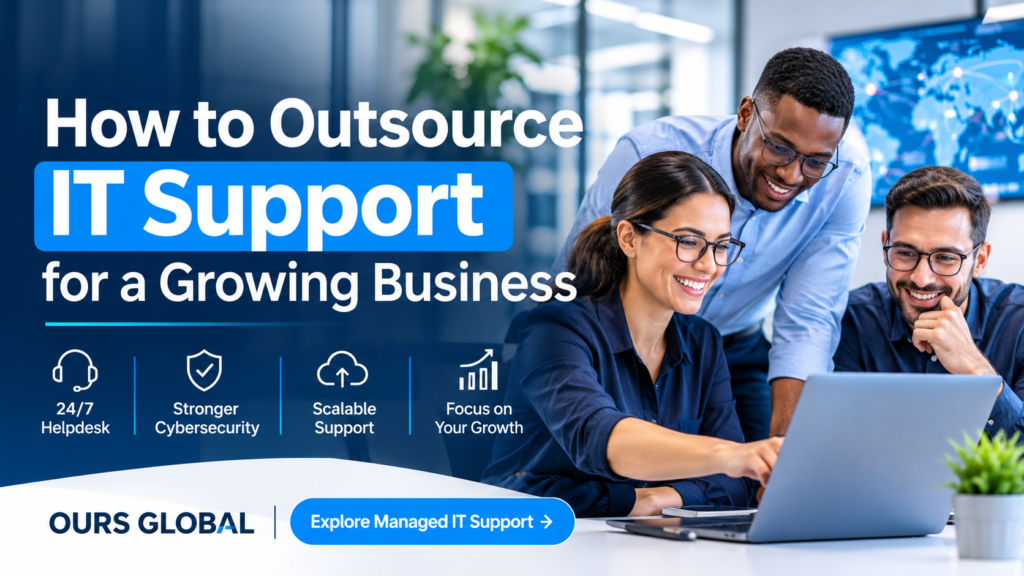
How to Outsource IT Support for a Growing Business
Growing businesses often reach a point where managing IT internally becomes difficult. Employees need faster technical assistance, cybersecurity risks increase, cloud environments become more complex, and recurring technical problems begin affecting productivity.
The most effective way to outsource IT support is to identify your business’s technology requirements, define the services you want an external provider to manage, compare providers on security and service levels, and agree on clear responsibilities before onboarding.
A suitable outsourced managed IT support partner can help manage helpdesk requests, monitor infrastructure, maintain endpoints, support cloud platforms, oversee backups and strengthen cybersecurity without requiring your business to build a large internal IT department.
However, choosing a provider based only on price or advertised support hours can lead to unexpected costs and service gaps. You need a solution that matches your technology environment, business requirements and future growth plans.
1. Understand When Your Business Should Outsource IT Support
Not every business needs a fully outsourced IT department. However, certain operational challenges indicate that your current support arrangement may no longer be sufficient.
Consider outsourcing when you experience:
- Frequent IT disruptions: Employees regularly encounter network problems, workstation failures, application errors or server outages.
- Slow technical assistance: Internal IT staff struggle to resolve support requests quickly.
- Growing cybersecurity concerns: Your business needs more consistent security monitoring, endpoint protection and vulnerability management.
- Limited internal resources: Your existing IT team cannot handle daily support and strategic technology projects simultaneously.
- Increasing technology complexity: Multiple cloud platforms, remote employees, business applications and office locations make IT management more demanding.
- Unpredictable IT expenses: Emergency repairs and unplanned technical work make budgeting difficult.
For example, imagine a growing professional services company with employees working across three locations. Its internal IT administrator manages Microsoft 365, employee devices, network connectivity, backups and daily support requests.
As the workforce expands, the administrator spends more time resolving routine issues and less time improving the company’s technology environment.
Outsourcing defined IT responsibilities can provide additional technical capacity while allowing the internal administrator to concentrate on business-critical projects.
The important decision is not simply whether to outsource. It is determining which responsibilities should move to an external provider.
2. Identify Which IT Services You Need to Outsource
Before requesting proposals, document the systems, users, devices and processes that require support.
A managed IT support arrangement can cover several operational areas.
24/7 IT helpdesk support
A helpdesk provides employees with a central point of contact for technical problems and service requests.
Typical responsibilities include:
- Desktop and laptop troubleshooting.
- Password resets and user account assistance.
- Microsoft 365 and Outlook support.
- Software installation and troubleshooting.
- Printer and peripheral support.
- VPN and network connectivity assistance.
- Remote desktop support.
- Application-related technical issues.
If your workforce operates across different time zones, confirm whether the advertised 24/7 service includes live assistance, ticket monitoring or emergency escalation.
These are different service commitments and should be clearly documented.
Endpoint management
Every connected laptop, desktop and mobile device requires appropriate maintenance and security controls.
An outsourced provider may manage:
- Operating system and software patching.
- Antivirus administration.
- Endpoint detection monitoring.
- Device inventory.
- Software deployment.
- Mobile device management.
- Device compliance policies.
- Remote troubleshooting.
Ask how the provider tracks devices that are offline, remotely deployed or used by employees outside the office.
Infrastructure monitoring and management
Servers, networks, firewalls, storage systems and cloud infrastructure need ongoing monitoring.
Typical activities include:
- Server and virtual machine monitoring.
- Network health monitoring.
- Firewall monitoring.
- Performance and capacity tracking.
- Infrastructure alerts.
- Incident identification and escalation.
- Availability reporting.
The objective is to identify potential problems before they develop into major operational disruptions.
Managed cybersecurity
Outsourcing IT support should not mean overlooking security responsibilities.
Depending on the agreed scope, cybersecurity support can include:
- Endpoint security management.
- Firewall monitoring.
- Email security.
- Anti-malware protection.
- Multi-factor authentication deployment.
- Security patch management.
- Vulnerability assessments.
- Security event monitoring.
- Incident response support.
Ask whether cybersecurity monitoring is included in the managed IT package or provided as an additional service.
Cloud and Microsoft 365 administration
Businesses using cloud platforms need consistent administration, access management and configuration oversight.
Depending on your environment, outsourced support may include:
- Microsoft 365 administration.
- Azure management.
- AWS support.
- Google Workspace administration.
- Exchange Online support.
- SharePoint administration.
- Microsoft Teams management.
- User licensing management.
- Cloud backup administration.
Make sure the provider understands your existing cloud architecture and the applications your employees depend on.
Backup and disaster recovery
A backup is useful only when the business can successfully restore the required data and systems.
Ask your provider to explain:
- Which systems and devices are backed up.
- How frequently backups run.
- Where backup copies are stored.
- How backup failures are detected.
- Who can access and manage backup data.
- How frequently restoration tests take place.
- What recovery time and recovery point objectives apply.
Do not assume that backup monitoring automatically means disaster recovery is fully managed. These responsibilities should be separately defined.
3. Choose the Right Outsourcing Model
There are several ways to outsource IT support. The right model depends on your internal capabilities and the level of responsibility you want to transfer.
Fully outsourced IT support
Under this model, an external provider manages the agreed day-to-day IT operations.
It may suit businesses that do not have a dedicated internal IT department or want to delegate most routine IT responsibilities.
Advantages:
- Access to a wider range of technical expertise.
- Centralized support responsibilities.
- Reduced internal IT administration.
- Support that can scale with business requirements.
Considerations:
- You need clear ownership and escalation arrangements.
- The provider must understand your business systems.
- Internal management oversight remains important.
Co-managed IT support
A co-managed arrangement combines internal IT staff with external technical support.
For example, your internal IT manager might handle technology strategy, budgeting and business application decisions while the external provider manages endpoint monitoring, helpdesk requests and infrastructure maintenance.
Advantages:
- Additional technical capacity.
- Access to specialist expertise.
- Greater flexibility over internal responsibilities.
- Support for an existing IT department.
Considerations:
- Responsibilities must be clearly divided.
- Internal and external teams need shared documentation.
- Escalation procedures must prevent duplicated work.
Outsourced IT helpdesk
This model focuses primarily on employee technical assistance.
It can be appropriate when your business has an established infrastructure team but needs additional support for daily user requests.
Advantages:
- More capacity for routine support.
- Consistent ticket management.
- Assistance for distributed workforces.
Considerations:
- Infrastructure and cybersecurity ownership may remain internal.
- Complex technical issues require escalation to the appropriate team.
The best arrangement is the one that addresses your actual operational gaps rather than purchasing services you do not need.
4. Evaluate Providers Using These Seven Criteria
Once you understand your requirements, compare prospective providers against a consistent set of evaluation criteria.
1. Service coverage and technical capabilities
Ask for a detailed list of included services.
Check whether the provider can support your devices, operating systems, cloud platforms, business applications, networks and infrastructure.
Do not rely on broad descriptions such as comprehensive IT support. Ask what the service actually covers.
2. Response times and service-level agreements
A service-level agreement (SLA) establishes expectations for service delivery.
Review:
- Support availability.
- Ticket acknowledgement times.
- Response targets by priority.
- Escalation procedures.
- Resolution targets or service restoration objectives.
- Reporting frequency.
- Service review arrangements.
A critical server outage should not follow the same escalation process as a routine software installation request.
Also distinguish between response time and resolution time. Acknowledging a ticket does not mean the underlying problem has been resolved.
3. Cybersecurity practices
An outsourced provider may receive privileged access to your business systems and sensitive information.
Evaluate how it manages:
- Multi-factor authentication.
- Privileged access.
- Remote access security.
- Security patching.
- Logging and monitoring.
- Incident reporting.
- Backup access.
- Employee security practices.
Request relevant security certifications or independent assurance evidence where appropriate. Do not assume that a provider is secure simply because it offers cybersecurity services.
4. Backup and recovery capabilities
Ask the provider to demonstrate how backup monitoring, restoration and disaster recovery responsibilities work.
Important questions include:
- Can you see backup success and failure reports?
- Are restoration tests documented?
- Who approves recovery actions?
- How quickly can critical systems be restored?
- What happens if the provider itself experiences an incident?
5. Reporting and communication
Your provider should give you visibility into the health of your IT environment.
Useful reporting may include:
- Monthly support ticket summaries.
- Recurring technical issues.
- Infrastructure availability.
- Patch management status.
- Backup monitoring results.
- Security alerts.
- Open incidents.
- Recommended improvements.
Regular communication helps management understand whether the outsourced arrangement is meeting business requirements.
6. Scalability and flexibility
Your IT support requirements may change as your organization grows.
Ask whether the provider can accommodate:
- Additional employees and devices.
- New office locations.
- Remote and hybrid workforces.
- Cloud migrations.
- New business applications.
- Increased support coverage.
- Changing security requirements.
Clarify how additional users, devices and services affect the commercial agreement.
7. Contract terms and exit arrangements
Before signing, review the commercial and operational terms.
Confirm:
- Included services and exclusions.
- Pricing structure.
- Contract duration.
- Additional service charges.
- Data ownership.
- Administrative access arrangements.
- Third-party responsibilities.
- Termination conditions.
- Data return and secure deletion procedures.
- Knowledge transfer and transition support.
A good outsourcing relationship should not make it unnecessarily difficult for your business to change providers.
5. Understand the Cost of Outsourced IT Support
Outsourced IT support pricing varies according to service scope, user numbers, device counts, infrastructure complexity, support hours and security requirements.
Common pricing models include:
Per-device pricing: A recurring fee is charged for each supported endpoint.
Per-user pricing: The provider charges based on the number of employees covered.
Fixed monthly agreement: Your business pays an agreed recurring amount for a defined set of services.
Custom enterprise agreement: Pricing is determined by infrastructure requirements, locations, integrations, service coverage and operational complexity.
When comparing proposals, avoid looking at the monthly price alone.
A lower-priced plan may exclude onsite support, advanced cybersecurity, backup management, cloud administration or after-hours escalation.
Use the following comparison:
| Cost consideration | What to investigate |
|---|---|
| Base monthly fee | What services are included? |
| Device or user charges | How are additional users and devices billed? |
| After-hours support | Is 24/7 coverage included? |
| Security services | Are advanced security services extra? |
| Backup management | Are backup and restoration included? |
| Onsite assistance | Are visits included or separately charged? |
| Project work | Are migrations and upgrades billed separately? |
| Contract flexibility | What are the termination conditions? |
The goal is to compare providers on the same scope of work so that the total cost reflects the support your business actually needs.
6. Prepare Your Business Before Outsourcing IT Support
A structured transition helps the provider understand your environment and reduces confusion during onboarding.
Step 1: Create an IT inventory
Prepare a record of:
- Employees and departments.
- Computers and mobile devices.
- Servers and network equipment.
- Software applications.
- Cloud platforms.
- Business-critical systems.
- Existing IT vendors.
- Current backup arrangements.
Step 2: Document existing problems
List recurring issues, unresolved tickets, security concerns and operational bottlenecks.
This helps the provider understand what needs immediate attention.
Step 3: Define responsibilities
Create a responsibility matrix identifying what your business retains and what the external provider manages.
For example:
| Activity | Internal business | IT provider |
|---|---|---|
| Business technology decisions | Owns | Advises |
| Employee support | Coordinates | Handles agreed requests |
| Endpoint monitoring | Oversees | Manages |
| Security escalation | Participates | Performs agreed response |
| User approvals | Approves | Implements |
| IT reporting | Reviews | Prepares |
Adapt this matrix to your actual contract.
Step 4: Establish secure access
Provide the provider with approved access through documented procedures.
Use individual accounts, multi-factor authentication and appropriate privilege restrictions. Avoid sharing administrative credentials through informal channels.
Step 5: Agree on onboarding and escalation
Define the onboarding schedule, communication channels, emergency contacts, ticket priorities and reporting expectations.
Start with an agreed transition plan rather than assuming that all systems can be transferred immediately.
Step 6: Review performance regularly
After onboarding, review the agreed service measures and discuss recurring issues.
A managed IT support relationship should evolve as your technology environment changes.
7. Common Mistakes to Avoid When Outsourcing IT Support
Even a technically capable provider may be unsuitable if the agreement is poorly structured.
Avoid these common mistakes:
Choosing exclusively on price: A low monthly fee is not useful if critical services are excluded.
Ignoring security ownership: Both parties must understand who manages access, patching, incident response and data protection.
Assuming 24/7 support means instant resolution: Confirm what round-the-clock availability actually covers.
Failing to define exclusions: Clarify responsibilities for projects, hardware replacement, third-party applications and onsite work.
Overlooking backup restoration: Request evidence of recovery testing rather than relying only on backup status reports.
Not documenting internal responsibilities: Your organization still needs to approve business decisions, maintain oversight and fulfil its own obligations.
Skipping performance reviews: Without reporting and regular service discussions, recurring problems may remain unresolved.
8. How OURS GLOBAL Supports Outsourced Managed IT Operations
Once your business has identified the services it needs, the next step is finding a provider that can support those requirements.
OURS GLOBAL offers outsourced managed IT support services designed for businesses that need ongoing technical assistance, proactive infrastructure management and cybersecurity support.
Its published service offering includes:
- 24/7 IT helpdesk: Assistance with desktop troubleshooting, Microsoft 365, email, VPN, user accounts and application issues.
- Endpoint management: Device monitoring, patch management, antivirus administration and asset tracking.
- Infrastructure management: Monitoring of servers, networks, firewalls, cloud environments and critical business systems.
- Managed cybersecurity: Endpoint protection, firewall monitoring, email security, vulnerability assessments and incident response support.
- Cloud management: Administration and support for Microsoft 365, Azure, AWS and Google Workspace environments.
- Backup and disaster recovery: Backup monitoring, recovery testing and disaster recovery planning.
OURS GLOBAL also describes flexible support models for growing businesses and larger organizations, dedicated technical teams, fixed monthly pricing and global service delivery.
These capabilities provide a starting point for businesses evaluating an outsourced IT support arrangement. Before proceeding, confirm the exact service scope, coverage, pricing and responsibilities applicable to your environment.
You can explore the service offering here:
OURS GLOBAL – Outsource Managed IT Support Services
Frequently Asked Questions
1. What IT services should a growing business outsource first?
Start with the areas creating the greatest operational burden. These often include employee helpdesk support, endpoint management, infrastructure monitoring, Microsoft 365 administration and backup monitoring.
If security expertise is limited internally, evaluate managed cybersecurity support as well.
2. Is outsourced IT support suitable for small businesses?
Yes. Outsourcing can provide small businesses with access to technical expertise and ongoing support without building a large internal IT department.
However, the provider’s scope should match the business’s actual number of users, devices, applications and security requirements.
3. What is the difference between managed IT support and break-fix support?
Break-fix support generally addresses problems after they occur. Managed IT support involves an ongoing agreement covering defined activities such as monitoring, maintenance, user support and security management.
The distinction is the move from reactive troubleshooting towards planned, ongoing IT operations.
4. Does outsourcing IT support mean giving up control of business technology?
No. Your organization should retain control over business decisions, data ownership, access approvals and technology priorities.
The provider manages only the responsibilities defined in the agreement. Clear reporting, access policies and escalation procedures help maintain oversight.
5. How do I evaluate whether an outsourced IT provider is performing well?
Review agreed SLAs, ticket response and resolution performance, recurring issues, infrastructure availability, patching status, backup results and incident reporting.
Schedule regular service reviews to identify improvements and ensure that the service continues to meet business requirements.
Final Thoughts: Make IT Outsourcing a Planned Business Decision
Outsourcing IT support is not simply about transferring technical problems to an external team. It is about establishing a reliable operating model that supports employee productivity, technology security and business growth.
Start by documenting your requirements, deciding which responsibilities to outsource and evaluating providers on service scope, security, reporting, scalability and contractual transparency.
If your organization is experiencing recurring IT issues or struggling to maintain its technology environment internally, OURS GLOBAL offers managed IT support services covering helpdesk assistance, endpoint management, infrastructure monitoring, cybersecurity, cloud administration and backup support.
Ready to explore outsourced IT support for your business?
Request a free IT support trial or discuss your requirements with OURS GLOBAL.