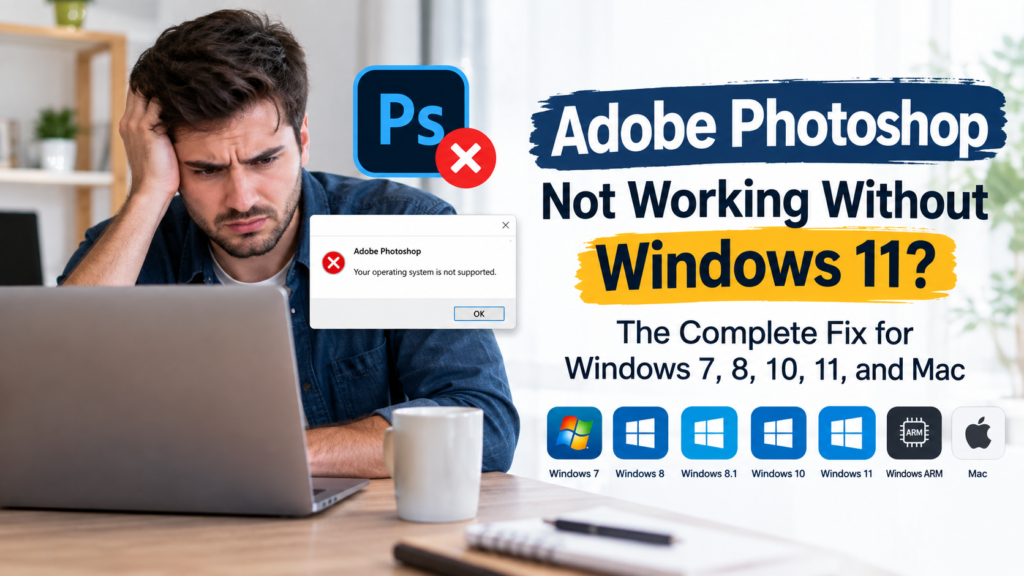
Adobe Photoshop Not Working Without Windows 11? The Complete Fix for Windows 7, 8, 10, 11, and Mac


If Adobe Photoshop is not working on your computer because you are not using Windows 11, you are not alone. Many users assume that upgrading to Windows 11 is the only solution, but that is not always true. Windows 10 can still run many recent versions of Photoshop, while older versions remain compatible with Windows 7 and Windows 8.1. Mac users also have reliable options on both Intel and Apple Silicon devices.
Whether Photoshop refuses to install, crashes during startup, runs slowly, or displays a compatibility error, this guide explains the real causes and the most effective fixes. It also shows which operating systems are supported and how to keep editing even if your computer is several years old.
Why Photoshop Stops Working on Older Computers
Photoshop depends on both your operating system and your computer hardware. When either one falls below the required specifications, problems begin to appear.
The most common reasons include:
- Unsupported operating system
- Outdated graphics drivers
- Insufficient RAM
- Older processor without required instruction support
- Low disk space
- Incompatible graphics card
- Corrupted Photoshop preferences
Current Photoshop versions officially support Windows 10 and Windows 11, while Windows 7 and Windows 8 are no longer supported for modern releases.
Photoshop Compatibility: Windows 7 to Windows 11 and Mac
The latest Photoshop releases officially support modern versions of Windows and macOS, while older operating systems require earlier Photoshop versions.
|
Operating System |
Compatibility |
|---|---|
|
Windows 7 |
Older Photoshop versions only |
|
Windows 8 |
Limited support for older versions |
|
Windows 8.1 |
Older Photoshop versions |
|
Windows 10 |
Fully supported for many recent versions |
|
Windows 11 |
Best compatibility |
|
Windows ARM |
Supported on compatible devices |
|
Mac Intel |
Supported depending on macOS version |
|
Apple Silicon (M1, M2, M3) |
Fully optimized |
Adobe Photoshop on Windows 7


Windows 7 was once one of the most popular operating systems for creative professionals, but recent Photoshop releases no longer support it.
Common Problems
- Installation fails immediately.
- Creative Cloud will not install.
- Compatibility warnings appear.
- Security updates are unavailable.
Can You Still Use Photoshop?
Yes, but only with older Photoshop versions released before Adobe ended support for Windows 7.
Best Solution
If your hardware supports it, upgrading to Windows 10 is the safest and most practical choice because it improves compatibility, security, and overall performance.
Adobe Photoshop on Windows 8 and Windows 8.1


Windows 8 and Windows 8.1 are also outdated for modern Photoshop releases.
Typical Issues
- Installation errors
- License verification failures
- Unexpected crashes
- Missing newer features
Recommended Fix
If your computer can run Windows 10, upgrading will provide a much smoother Photoshop experience without requiring completely new hardware.
Adobe Photoshop on Windows 10


Windows 10 remains one of the best operating systems for Photoshop and continues to support many current versions of the software.
Recommended Hardware
For smooth editing, your computer should have:
- Multicore Intel or AMD processor
- 8 GB RAM minimum
- 16 GB RAM recommended
- DirectX 12 compatible graphics card
- At least 10 GB of free storage
- SSD for faster performance
Why Photoshop May Still Be Slow
Even on Windows 10, performance problems can happen because of:
- Outdated GPU drivers
- Low available storage
- Too little RAM
- Heavy background applications
- Full scratch disk
Adobe Photoshop on Windows 11


Windows 11 offers the most optimized experience for the newest Photoshop features.
Benefits include:
- Better system optimization
- Faster graphics performance
- Improved AI-powered editing tools
- Better Creative Cloud compatibility
However, Windows 10 remains officially supported for many Photoshop releases, so upgrading is not always mandatory.
Adobe Photoshop on Windows ARM


Some newer ARM-powered Windows laptops can run Photoshop successfully.
Recommended specifications include:
- Windows ARM
- 8 GB minimum RAM
- 16 GB recommended
- Compatible graphics hardware
Adobe has optimized Photoshop for supported ARM devices, making them a strong option for mobile editing.
Adobe Photoshop on Mac Intel


Intel-based Macs remain compatible with several Photoshop versions, although compatibility depends on the installed version of macOS.
Older macOS versions may prevent newer Photoshop releases from installing, so checking your operating system before updating Photoshop is important.
Adobe Photoshop on Apple Silicon (M1, M2, M3)


Apple Silicon computers deliver some of the best Photoshop performance available today.
Advantages include:
- Faster startup
- Smooth editing
- Better memory management
- Native optimization
- Excellent battery efficiency
For photographers and designers, Apple Silicon machines provide outstanding performance for both large and complex projects.
Common Photoshop Errors and How to Fix Them
Error 1: “Your Operating System Is Not Supported”
This message usually means your version of Photoshop requires a newer operating system.
Fix:
- Update your operating system.
- Install a compatible Photoshop version.
- Verify your hardware specifications.
Error 2: Photoshop Crashes During Startup
Possible causes include:
- Graphics driver problems
- Corrupted preferences
- GPU acceleration conflicts
Fix:
- Update graphics drivers.
- Reset Photoshop preferences.
- Disable GPU acceleration temporarily.
Error 3: Installation Gets Stuck
Before reinstalling, check:
- Internet connection
- Available disk space
- Creative Cloud updates
Error 4: Photoshop Is Extremely Slow
Performance often improves by:
- Adding more RAM
- Installing an SSD
- Closing unnecessary background programs
- Freeing scratch disk space
How to Check If Your Computer Can Run Photoshop


6
Before buying a new computer, check your system specifications.
On Windows
Open:
Settings → System → About
Verify:
- Processor
- Installed RAM
- Windows version
Then open:
Task Manager → Performance
Check:
- CPU
- Memory
- Graphics card
- Disk usage
On Mac
Open:
Apple Menu → About This Mac
Check:
- Processor
- Memory
- macOS version
Easy Ways to Improve Photoshop Performance Without Buying a New Computer
If replacing your computer is not an option yet, these upgrades can significantly improve Photoshop.
Upgrade Your RAM
Increasing memory from 8 GB to 16 GB often improves:
- Large PSD editing
- Multitasking
- Filter performance
Install an SSD
A solid-state drive dramatically reduces:
- Startup time
- File loading
- Scratch disk delays
Update Graphics Drivers
Modern drivers solve many stability and performance problems.
Keep Enough Free Storage
Photoshop uses temporary working files during editing, so maintaining plenty of free disk space helps prevent slowdowns.
Do You Really Need Windows 11?
Not necessarily.
If your computer has:
- Windows 10
- A compatible processor
- Enough RAM
- A supported graphics card
you can still run many recent Photoshop versions successfully.
However, users still running Windows 7 or Windows 8.1 should consider upgrading because newer Photoshop releases, security updates, and many modern features are no longer available on those systems.
Save Time with Professional Photo Editing Services


Even with the right computer, professional photo editing can take hours every day. Photographers, eCommerce stores, agencies, and brands often need hundreds or thousands of images edited quickly while maintaining consistent quality.
Instead of spending valuable time on repetitive editing tasks, outsourcing your photo editing can help you focus on growing your business while receiving professionally edited images.
Why Choose Ours Global?
Ours Global provides professional photo editing solutions for businesses that need high-quality results with fast turnaround times.
Our Services Include:
- Clipping Path
- Background Removal
- Color Correction
- Beauty Retouching
- Product Photo Editing
- Natural Shadow Creation
- Image Restoration
- Bulk Photo Editing
Why Businesses Trust Ours Global:
- Experienced photo editing specialists
- Consistent professional quality
- Fast turnaround times
- Affordable outsourcing solutions
- Secure handling of client images
Whether you need a few edited photos or thousands of product images, Ours Global delivers reliable, high-quality photo editing that helps businesses save time, reduce costs, and achieve outstanding visual results.
Learn more about our professional photo editing services:
https://www.oursglobal.com/outsource-photo-editing-services
Final Thoughts
Adobe Photoshop not working without Windows 11 does not automatically mean you need a new computer. Windows 10 remains compatible with many recent Photoshop versions, while older releases can still run on Windows 7 and Windows 8.1. Mac users also have strong options on both Intel and Apple Silicon devices.
By matching your Photoshop version with your operating system, updating your hardware where possible, and optimizing your computer’s performance, you can continue editing efficiently. And when your workload grows beyond what your hardware or schedule can handle, Ours Global offers a dependable professional photo editing solution that keeps your projects moving forward.