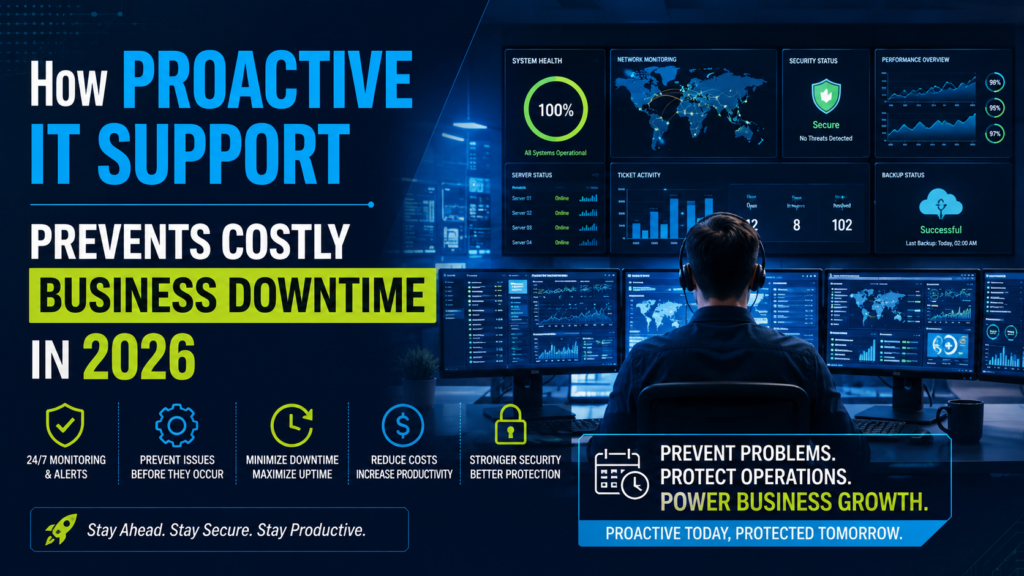
How Proactive IT Support Prevents Costly Business Downtime in 2026
Technology keeps modern businesses running—but it can also become their biggest vulnerability. A server outage, ransomware attack, network failure, or cloud misconfiguration can bring operations to a halt within minutes. For organizations that rely on digital tools, even a short period of downtime can mean lost revenue, frustrated customers, and damaged reputation.
The good news is that many IT disruptions are preventable.
Instead of waiting for problems to occur, businesses are increasingly adopting proactive IT support—an approach that continuously monitors systems, resolves issues before they escalate, and strengthens overall IT resilience. Unlike the traditional break-fix model, proactive support focuses on prevention rather than reaction, helping organizations reduce risk and maintain productivity. Managed Service Providers (MSPs) commonly deliver this ongoing monitoring, maintenance, and support through defined service agreements.
This guide explores how proactive IT support works, why it matters in 2026, and how businesses can use it to minimize costly downtime.
What Is Proactive IT Support?
Proactive IT support is an ongoing approach to managing technology where systems are monitored, maintained, and optimized before problems affect users. Rather than responding only after something breaks, IT teams continuously check the health of servers, networks, cloud environments, and end-user devices.
A proactive support strategy typically includes:
- 24/7 system monitoring
- Automated alerts
- Security patch management
- Software updates
- Backup verification
- Performance optimization
- Preventive maintenance
- Remote troubleshooting
This continuous oversight helps businesses identify potential issues early and significantly reduces the likelihood of unexpected outages.


Why Business Downtime Is More Expensive Than Most Companies Realize
Many organizations underestimate the true cost of downtime because they focus only on immediate technical repair costs.
In reality, downtime affects multiple areas of the business simultaneously.
Lost Productivity
When employees cannot access systems, work stops.
Teams may lose access to:
- email,
- business applications,
- shared files,
- communication platforms,
- customer records.
Even a small disruption can affect dozens or hundreds of employees.
Revenue Loss
For customer-facing businesses, downtime directly impacts sales.
Examples include:
- eCommerce websites becoming unavailable
- payment systems failing
- booking systems going offline
- customer portals becoming inaccessible
Every minute of disruption can represent missed business opportunities.
Customer Trust
Customers expect reliable digital experiences.
Repeated outages can reduce confidence in your brand, even if technical issues are eventually resolved.
Recovery Costs
Unexpected failures often require emergency support, urgent hardware replacement, and additional labor costs.
Preventing issues is usually less expensive than recovering from them.
The Difference Between Reactive and Proactive IT Support
|
Reactive IT Support |
Proactive IT Support |
| Fixes problems after they occur | Prevents problems before they occur |
| Unpredictable costs | More predictable monthly planning |
| Higher downtime risk | Reduced downtime |
| Emergency repairs | Scheduled maintenance |
| Limited visibility | Continuous monitoring |
The biggest advantage of proactive support is that businesses spend less time reacting to crises and more time focusing on growth.
Key Ways Proactive IT Support Prevents Downtime
1. Continuous Infrastructure Monitoring
Modern IT environments generate thousands of performance indicators.
Monitoring tools track:
- CPU usage
- memory utilization
- storage capacity
- network traffic
- server health
- application performance
When unusual activity appears, technicians can investigate before users experience problems.


2. Automatic Security Patch Management
Cybercriminals often exploit outdated software.
Delaying updates increases security risk.
Proactive IT support ensures operating systems, applications, and security tools receive timely patches, reducing exposure to known vulnerabilities. Managed service providers commonly include patch management as part of ongoing maintenance.
3. Early Detection of Hardware Problems
Hardware rarely fails without warning.
Common warning signs include:
- unusual disk activity
- increasing error logs
- overheating
- declining performance
Monitoring systems can detect these indicators early, allowing components to be replaced during scheduled maintenance rather than after a complete failure.


4. Reliable Backup Monitoring
Backups only provide value if they actually work.
Proactive support includes:
- backup verification
- recovery testing
- storage monitoring
- retention management
This reduces the risk of discovering backup failures during an emergency.
5. Network Performance Optimization
Slow networks often create productivity issues long before complete outages occur.
Proactive optimization helps identify:
- bandwidth bottlenecks
- failing switches
- unstable wireless connections
- DNS issues
These improvements create a smoother experience for employees and customers.


How Cybersecurity Fits Into Proactive IT Support
Cybersecurity is no longer separate from IT support.
The two work together.
Modern businesses face threats such as:
- ransomware
- phishing attacks
- credential theft
- malware
- unauthorized access
Managed security services often provide continuous monitoring, firewall management, incident response, and vulnerability management to reduce these risks.
Cloud Monitoring Is Now Essential
Many businesses operate across multiple cloud platforms.
This creates new challenges.
Cloud environments require monitoring for:
- virtual machines
- cloud storage
- user permissions
- application performance
- backup health
- resource utilization
Without proactive oversight, cloud costs and performance issues can quickly become difficult to manage.


The Role of Help Desk Support
Employees encounter technical problems every day.
Examples include:
- login issues
- printer problems
- software errors
- VPN connectivity
- email configuration
A responsive help desk prevents small issues from becoming larger productivity problems.
Many organizations combine proactive monitoring with remote technical support for faster resolution.
Disaster Recovery: Planning Before Problems Happen
Every business should prepare for unexpected events.
A proactive IT strategy includes disaster recovery planning that covers:
- backup restoration
- cloud recovery
- server recovery
- communication procedures
- business continuity planning
Planning ahead reduces recovery time when incidents occur.
Industries That Benefit Most From Proactive IT Support
Healthcare
Healthcare organizations require reliable systems for patient care and regulatory compliance.
Financial Services
Banks and financial firms need secure, highly available systems to protect sensitive data.
Manufacturing
Production interruptions can create significant operational losses.
Retail
Point-of-sale systems and inventory platforms must remain available during business hours.
Professional Services
Law firms, accounting firms, and consulting companies depend on secure access to client data.
Signs Your Business Needs Proactive IT Support
Consider upgrading your IT strategy if:
- recurring technical issues interrupt work,
- systems feel increasingly slow,
- security updates are inconsistent,
- downtime affects customers,
- internal IT resources are overloaded,
- cloud environments have become difficult to manage.
These warning signs often indicate that reactive support is no longer sufficient.
Choosing the Right IT Support Partner
A reliable IT partner should provide:
- 24/7 monitoring
- fast response times
- cybersecurity expertise
- cloud support
- backup management
- scalable services
- transparent communication
- clear Service Level Agreements (SLAs)
The goal is to build a long-term partnership that helps technology support business growth rather than becoming a constant source of disruption.
Future Trends in Proactive IT Support
The IT support landscape continues evolving.
Key trends include:
AI-Assisted Monitoring
Artificial intelligence helps identify unusual patterns before major failures occur.
Predictive Maintenance
Advanced analytics improve hardware replacement planning.
Zero Trust Security
Businesses increasingly verify every user and device before granting access.
Cloud-First Operations
Organizations continue expanding cloud adoption while requiring stronger management and security practices.
Automation
Routine maintenance tasks become faster through intelligent automation, allowing IT teams to focus on higher-value work.
Final Thoughts
Business downtime is rarely just a technical inconvenience—it affects productivity, customer experience, revenue, and long-term growth.
A proactive IT support strategy shifts the focus from fixing problems after they happen to preventing them altogether. Through continuous monitoring, preventive maintenance, cybersecurity management, and rapid support, businesses can reduce interruptions and build a more resilient technology environment.
In an increasingly digital world, prevention is becoming one of the smartest IT investments a business can make.
Keep Your Business Running with OURS Global
At OURS Global, we help businesses stay productive with reliable Managed IT Support Services designed to prevent downtime before it impacts operations.
Our services include:
- 24/7 IT Monitoring
- Help Desk & Remote Support
- Network & Server Management
- Cloud Infrastructure Support
- Cybersecurity Management
- Patch & Update Management
- Backup & Disaster Recovery
- IT Infrastructure Optimization
Whether you’re a growing business or a large enterprise, our experienced IT professionals provide proactive support that keeps your systems secure, optimized, and available when you need them most.
Ready to reduce downtime and strengthen your IT operations? Contact OURS Global today and discover how proactive managed IT support can help your business grow with confidence.